Thailand to Laos: Which eSIM for the Crossing, and When to Switch
Published
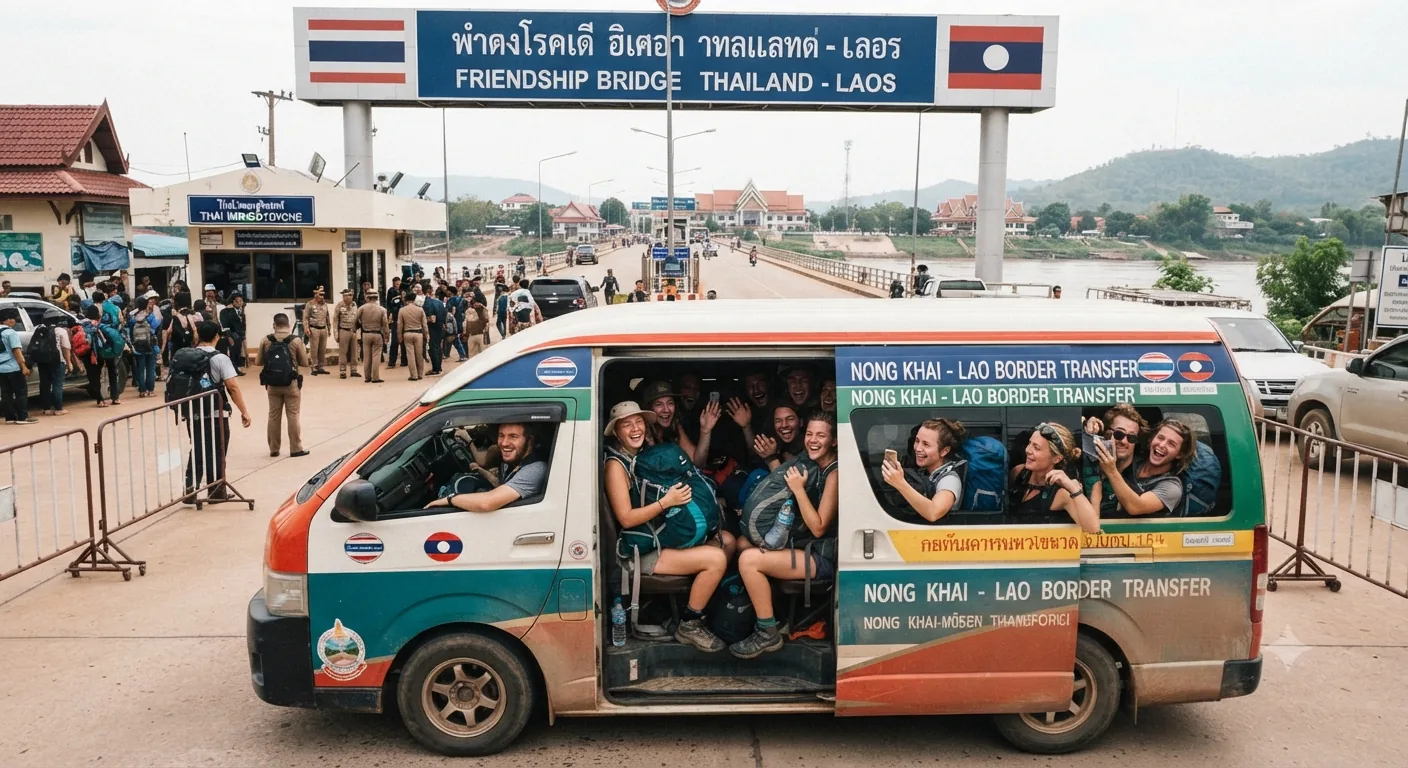
Most people heading into Laos come from Thailand: over the First Friendship Bridge to Vientiane, on the overnight train from Bangkok, down the Mekong by slow boat from Chiang Khong, or on a short flight to Vientiane or Luang Prabang. Whichever way you come, your Thai SIM stops being useful at the border. This guide covers what to set up before you leave Thailand, and what each crossing means for your phone.
Short answer: buy and install a Laos eSIM while you still have Thai data or hotel Wi-Fi, keep your Thai SIM in the phone, and switch mobile data to the Laos line once you’re through Lao immigration. The plan’s days only start when it first connects in Laos.
Set it up before you leave Thailand
Installing an eSIM needs an internet connection, so do it on the Thai side, not at the border. The QR code and instructions arrive by email within minutes of buying.
- Check your phone supports eSIM and isn’t carrier-locked.
- Buy the plan that matches your days in Laos (prices below) and scan the QR code from the email while you’re on Thai data or Wi-Fi.
- Leave your Thai SIM or eSIM in place. On most phones you can keep two lines: the Thai one for calls and SMS, the Laos one for data.
- Keep mobile data on the Thai line for now. You’ll switch after the border.
The Laos eSIM is a Lao Unitel line. It can’t connect in Thailand, and the 365-day window to first connect means you can buy it days or weeks ahead without wasting anything.
When to switch to the Laos line
Switch once you’re through Lao immigration, not before. The Mekong is narrow at the main crossings and networks spill across it: travellers on the Tripadvisor Laos forum describe Thai phones picking up signal from the other bank along the river. The same works the other way, so the Laos line can pick up Unitel while you’re still in the Thai exit queue, and its days start from that first connection.
Once you’re stamped in, set mobile data to the Laos line. It connects to Unitel automatically. If it doesn’t, toggle airplane mode, and if needed set the APN to unitel3g.
Crossing by road and bus: Nong Khai to Vientiane
The First Thai-Lao Friendship Bridge between Nong Khai and Vientiane is the busiest crossing. According to Seat61 and several backpacker guides, you can’t walk across: a shuttle bus runs over the bridge roughly every 20 minutes for about 30 baht, with tickets sold just after Thai immigration. Travel guides list the crossing as open daily from 06:00 to 22:00.
From Nong Khai town or station to the border it’s a short tuk-tuk or songthaew ride. On the Lao side you’re about 20 km from central Vientiane. Have the Laos line ready for the ride into town: booking a ride-hailing car or checking the map is where data matters first.
Coming from Udon Thani? Direct buses run to Vientiane through the same Nong Khai crossing, taking about two hours by one listed timetable (checked 23 Oct 2026). Booking sites list several operators, including Naluang, Family Service, PST Transit and Sarah Transport, with economy fares from about US$6 (roughly US$5–13 across buses and minivans). Since 9 September 2026, Thai operator BKS also runs two daily 40-seat buses from Udon Thani Bus Terminal 1 and the airport to Vientiane, at 80 baht a trip, taking about three hours and bookable through its website and app (Nation Thailand, ASEAN Now). Operators, departure times and fares change, so confirm on 12Go or Baolau before you travel. We could not confirm the current timetable against the operators’ own sites.
Crossing by train: Bangkok to Vientiane
The direct sleeper from Bangkok has run since July 2024. Seat61 (updated June 2026) lists train 133 leaving Krung Thep Aphiwat at 21:25 and reaching Vientiane Khamsavath at 09:05 the next morning, with a daytime option (train 75) leaving at 08:45 and arriving at 17:55. Immigration for both countries is handled at the stations, and Seat61 reports that Lao eVisas are accepted for train entry at Khamsavath.
Khamsavath is about 7 km from central Vientiane, so you’ll want data on arrival for a taxi or ride-hailing app. Switch to the Laos line after Lao immigration at the station.
Crossing for the slow boat: Chiang Khong to Huay Xai
The Fourth Friendship Bridge links Chiang Khong to Huay Xai, the start of the two-day Mekong slow boat to Luang Prabang. Backpacker guides report a shuttle across the 2.5 km bridge for 20 baht at standard times, and that since December 2024 the slow boat leaves Huay Xai at 9:00, so most travellers now spend the night in Huay Xai or Chiang Khong first. Check current entry rules for your nationality before relying on this crossing: Backpackers Wanderlust reports that since October 2025 some passports can’t use this checkpoint.
Switch to the Laos line in Huay Xai. On the river itself, signal comes and goes: you’ll get it near villages and around Pakbeng, the overnight stop, with long gaps between. Our slow boat internet guide covers what to download before you board.
Crossing in the south and centre
- Chong Mek to Vang Tao (for Pakse): a direct bus runs from Ubon Ratchathani to Pakse in about three hours, according to Asia for Visitors. Switch lines after Lao immigration at Vang Tao.
- Mukdahan to Savannakhet (Second Friendship Bridge) and Nakhon Phanom to Thakhek (Third Friendship Bridge): the same rule applies. See our Savannakhet connectivity guide for coverage once you’re across.
Flying in from Bangkok or Chiang Mai
There are direct flights from Bangkok to Vientiane and Luang Prabang, and from Chiang Mai to Luang Prabang (flight-search listings show Lao Airlines and Bangkok Airways on the Luang Prabang routes). Install the eSIM before you fly, keep it switched off for data during the flight, and switch to it when you land. It connects on arrival, so you can sort transport from the terminal without looking for a SIM counter.
Which plan to choose
All Laos plans run on Unitel and are data only:
- 10GB, 10 days: $6.90
- 15GB, 15 days: $7.90
- 30GB, 30 days: $9.90
Going on from Laos to Vietnam or Cambodia? The Indochina plan covers Laos, Cambodia and Vietnam on one eSIM. It doesn’t include Thailand. If your trip loops back into Thailand, keep a Thai line for that part; our Laos and Thailand eSIM guide compares the options for a trip through both.
If the Laos line doesn’t connect
- Check mobile data is set to the Laos line and that line is switched on.
- Toggle airplane mode on and off.
- Set the APN to
unitel3gif your phone didn’t set it automatically. - Dial
*122#on the Laos line to check your data balance.
Still stuck? Write to support@internetlaos.com with your order number and a screenshot of your mobile-network settings.
Frequently asked questions
Can I buy a Laos eSIM while I'm still in Thailand? +
Yes. Buy it online and it arrives by email within minutes. Install it while you still have Thai data or Wi-Fi, because installing needs an internet connection, then switch to it once you're in Laos.
Does a Laos eSIM work in Thailand? +
No. It is a Lao Unitel line, so it only connects in Laos. Keep your Thai SIM or Thai eSIM for the Thai part of the trip.
When do the days on my Laos plan start? +
When the eSIM first connects to the Unitel network in Laos, not when you buy or install it. You have 365 days after purchase to make that first connection.
Will my Thai SIM work in Laos? +
Only on international roaming, which most Thai tourist SIMs either don't include or charge heavily for. Treat your Thai line as calls and SMS only once you've crossed, and use the Laos eSIM for data.
Should I switch to the Laos eSIM on the Friendship Bridge? +
Wait until you're through Lao immigration. Signal crosses the Mekong at the border, so switching early can start your plan's days while you're still queuing on the Thai side.
Is there signal on the slow boat from Huay Xai to Luang Prabang? +
Patchy. You'll get signal near villages and around Pakbeng, the overnight stop, with long gaps between. Download offline maps and your Pakbeng booking before you board.
Do I get a Lao phone number with the eSIM? +
No. Every Laos eSIM sold online is data only, because a Lao number with calls and SMS needs in-person registration at an operator office. Keep your home or Thai SIM in the phone for calls and texts.
Which plan should I choose for Laos after Thailand? +
Match the plan to your days in Laos: 10GB for 10 days ($6.90), 15GB for 15 days ($7.90), or 30GB for 30 days ($9.90). If Laos is followed by Vietnam or Cambodia, the Indochina plan covers all three, but not Thailand.
What if the Laos eSIM doesn't connect after I cross? +
Check that the Laos line is selected for mobile data, then toggle airplane mode. If it still doesn't connect, set the APN to unitel3g. Dial *122# to check your remaining data, and write to support@internetlaos.com if you're stuck.
Get connected for your trip
10GB
- 10GB high-speed data
- Automatic activation
Automatic. Data works the moment the eSIM connects to Unitel. Nothing to dial, nothing to switch on.
QR emailed within minutes · Stripe secure checkout · No account needed
15GB
- 15GB high-speed data
- Automatic activation
Automatic. Data works the moment the eSIM connects to Unitel. Nothing to dial, nothing to switch on.
QR emailed within minutes · Stripe secure checkout · No account needed
30GB
- 30GB high-speed data
- Automatic activation
Automatic. Data works the moment the eSIM connects to Unitel. Nothing to dial, nothing to switch on.
QR emailed within minutes · Stripe secure checkout · No account needed