How to Activate Your Vietnam eSIM (iPhone & Android)
An eSIM installs in a few minutes, but a few settings make all the difference between “connected the moment I land” and “why isn’t this working?”. Here’s the step-by-step, on iPhone and Android — plus fixes for the most common snags.
The golden rule: install before, activate after
Remember this distinction, it prevents 90% of problems:
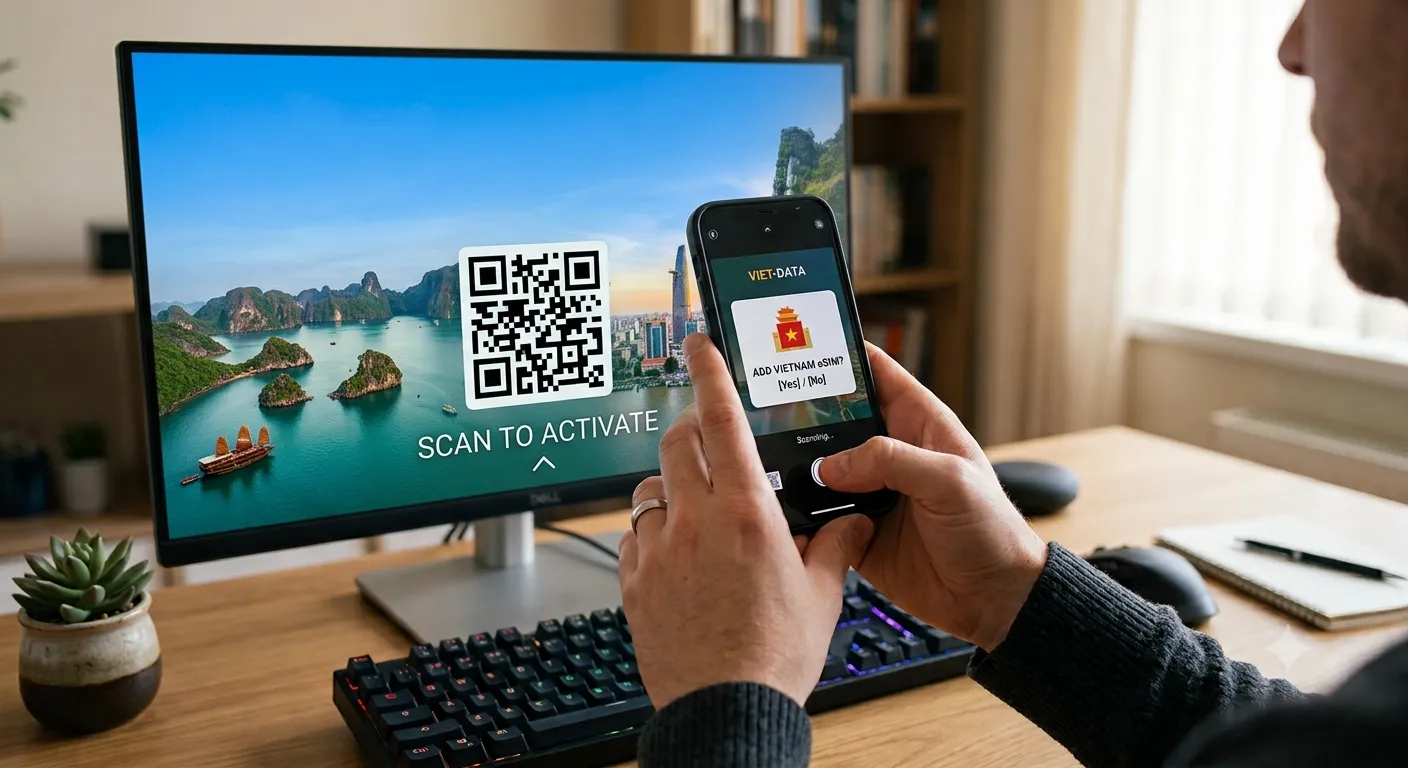
- Install the eSIM (scan the QR code) before departure, at home, while you have wifi.
- Turn on data roaming only on arrival in Vietnam, when your phone picks up the Viettel network.
Installing doesn’t use up your plan: on a local Viettel eSIM, the countdown starts automatically when your phone attaches to a Viettel tower in Vietnam.
Installing the eSIM on iPhone
- Make sure you’re connected to wifi.
- Open Settings → Cellular (or Mobile Data) → Add Cellular Plan.
- Scan the QR code received by email.
- Follow the prompts. Label the line (“Vietnam”, for example) so you recognize it.
- Keep your primary line as the default for calls; the eSIM will handle data in Vietnam.
On arrival: Settings → Cellular, select the Vietnam line, turn on Cellular Data and Data Roaming.
Installing the eSIM on Android
Menus vary slightly by brand (Samsung, Google Pixel, etc.), but the principle is the same:
- Connect to wifi.
- Open Settings → Connections (or Network & Internet) → SIM cards → Add eSIM.
- Scan the QR code received by email.
- Confirm the profile download and label the line.
- On arrival, set the eSIM as the mobile data line and turn on data roaming.
APN: normally nothing to do
On a local Viettel eSIM, the official v-internet APN configures itself automatically. You don’t need to enter anything.
If, exceptionally, data won’t come through, you can check or enter the APN manually:
- iPhone: Settings → Cellular → Cellular Data Network → select the eSIM line → enter
v-internetin the APN field. - Android: Settings → Connections → Mobile networks → Access Point Names (APN) → add an APN named Viettel with
v-internet.
Hotspot sharing
Hotspot sharing works with a local Viettel eSIM. If the hotspot won’t turn on or stays greyed out, the most common cause is simple: mobile data is still using your original SIM, not the Vietnam eSIM.
The fix:
- Check that the mobile data line is the Vietnam eSIM.
- Turn on data roaming for that line.
- Restart the phone (or toggle Airplane mode).
- Re-enable hotspot sharing.
Note: sharing drains your plan faster, especially with a laptop. Keep an eye on your balance.
Checking your data balance
On a Viettel eSIM, no third-party app needed: open your messaging app and text KTTK to 191. Viettel instantly replies with your remaining data.
Quick troubleshooting
| Problem | Fix |
|---|---|
| No internet on arrival | Turn on cellular data + data roaming on the eSIM line |
| ”Cannot add cellular plan” | Check the phone is eSIM-compatible and unlocked |
| Hotspot greyed out | Set the eSIM as the data line, then re-enable sharing |
| Slow data | Check the balance (KTTK to 191) — you may have hit the daily 5GB cap |
| Nothing works | Restart, or toggle Airplane mode |
Ready to go
An eSIM installed correctly before departure guarantees you’re connected the moment you leave the plane. To choose your plan and duration, see our Vietnam eSIMs at sogdiaroam.com. The install steps are identical for a Thailand eSIM if that’s next on the route — see Thailand eSIM plans.
Need the big picture? Go back to the complete Vietnam SIM card and eSIM guide. And to avoid the traps on arrival, read airport SIM cards: prices and scams.
Frequently asked questions
When should I install my Vietnam eSIM? +
Install the eSIM (scan the QR code) before you leave, at home, while you have wifi. But only turn on data roaming once you arrive in Vietnam, when your phone picks up the Viettel network.
My eSIM won't connect, what do I do? +
Check that mobile data and data roaming are on for the eSIM line, that it's set as the data line, then restart the phone. On a Viettel eSIM, the v-internet APN configures itself automatically.
Can I share my connection (hotspot) with a Vietnam eSIM? +
Yes. Hotspot sharing works with a local Viettel eSIM. If the hotspot won't turn on, make sure mobile data is using the eSIM and not your original SIM, then re-enable sharing.
Get connected for your trip
Vietnam
Vietnam · 7 days · 35GB
35GB total (5GB/day)
- 5GB high-speed data per day
- Automatic activation
Automatic. Data works the moment the eSIM connects to Viettel. Nothing to dial, nothing to switch on.
QR emailed within minutes · Stripe secure checkout · No account needed
Vietnam
Vietnam · 15 days · 75GB
75GB total (5GB/day)
- 5GB high-speed data per day
- Automatic activation
Automatic. Data works the moment the eSIM connects to Viettel. Nothing to dial, nothing to switch on.
QR emailed within minutes · Stripe secure checkout · No account needed
Vietnam
Vietnam · 30 days · 150GB
150GB total (5GB/day)
- 5GB high-speed data per day
- Automatic activation
Automatic. Data works the moment the eSIM connects to Viettel. Nothing to dial, nothing to switch on.
QR emailed within minutes · Stripe secure checkout · No account needed