Unitel KYC & eKYC in Laos (2026): Register, USSD Codes, Top-Up
Published Updated

The Unitel Laos codes most travellers need: dial *110# for your number, *122# for your credit balance, *123# for your data balance, *1021# for KYC/registration status, *209# for the data-package menu, and 109 for customer service. Voucher top-ups use the *121* or *123* family. This guide puts the whole Unitel account layer in one place — number, balance, data, KYC, top-up and packages — and flags where the well-known codes have drifted over time.
Unitel (Star Telecom) is one of Laos’ largest networks, with strong coverage outside the main cities and at Wattay International Airport in Vientiane. If you’d rather not register a line at all, we sell a genuine local Unitel eSIM — already registered and pre-activated, delivered by email before you fly — from $6.90 (see the Laos eSIM plans). The rest of the page covers every registration and account route.
A note on sources and confidence. Unitel’s public site is JavaScript-heavy and doesn’t publish a clean USSD catalogue, so these codes come from a hierarchy: Unitel official > Lao government > current physical/field evidence > specialist guides > user reports. Where sources conflict, we keep both rather than pick one — that’s what makes this page usable when a code behaves unexpectedly.
Unitel USSD codes at a glance
| Function | Code to try | Confidence | Notes |
|---|---|---|---|
| Check own number | *110# | High | *127# reported as an alternative (weaker evidence) |
| Credit balance | *122# | Very high | May also show data on some plans |
| Data balance | *123# | High | Some sources list *126# / *101# |
| KYC / registration status | *1021# | High (not first-party) | Backed by Lao Gov-X + LaoKYC docs |
| Voucher top-up | *121*VOUCHER# or *123*VOUCHER# | High / medium-high | Two generations; try *121* first |
| Data package menu | *209# | High | Self-service menu |
| Activate a data package | *209*CODE# (also *123*CODE#) | High | Two generations; see below |
| Customer service | 109 (also 021 999 666) | High | Chinese: 109 → 5 (medium) |
| Change USSD language to Chinese | *856*4# | Medium | Third-party, not official |
The four most-corroborated codes — *110#, *122#, *123#, *1021# — line up across a July 2026 Unitel reference and Lao government material, which is why they’re the safest starting point.
How do I check my Unitel number?
Dial *110#. A current Unitel guide and an independent Laos SIM guide both give *110# to display the number of the SIM in the phone. Some lists give *127# as an alternative, but with weaker corroboration — try *110# first, and if it fails use the Unitel app or call support rather than cycling through variants. (Historically, our own older USSD page also listed *110# for number lookup.)
(This is the main code that changed: older English references sometimes say the number check is something else. *110# is the 2026 consensus.)
How do I check my Unitel balance and data?
Dial *122# for your credit balance and *123# for your data balance. *122# is the most consistently reported Unitel code across sources and across years; a July 2026 Chinese-language reference independently lists it for credit balance, and some plans’ *122# response also includes data information. For remaining data specifically, current 2026 sources give *123#.
There is real historical noise here, so keep the fallbacks in mind:
- Older Internet in Laos tables used
*123#for recharge and*209#for the data plan — the opposite of the current mapping for*123#. - Some Laos eSIM sellers list
*126#or*101#for data balance; others say*122#shows remaining data.
Practical order: try *123# for data, *122# for credit; if neither matches your plan, open the Unitel app, which shows usage and charging history.
How do I check my Unitel KYC / registration status?
Dial *1021#. This one has unusually strong non-official support: the Lao government’s Gov-X app states “Check your KYC status by dialing *1021#”, and the LaoKYC app documentation says the same. It returns whether the SIM is registered.
Use it as a diagnostic, not as legal proof of ownership: we found no first-party Unitel page publishing *1021#, so if it errors, don’t repeatedly vary the format — switch to a verified channel (the app, a service centre, or 109). A successful top-up or package purchase is not the same as a confirmed registration.
How do I register a Unitel SIM (KYC)?
Laos requires SIM registration, and Unitel runs an eKYC system — so there are two real routes, or you skip it with a pre-registered eSIM.
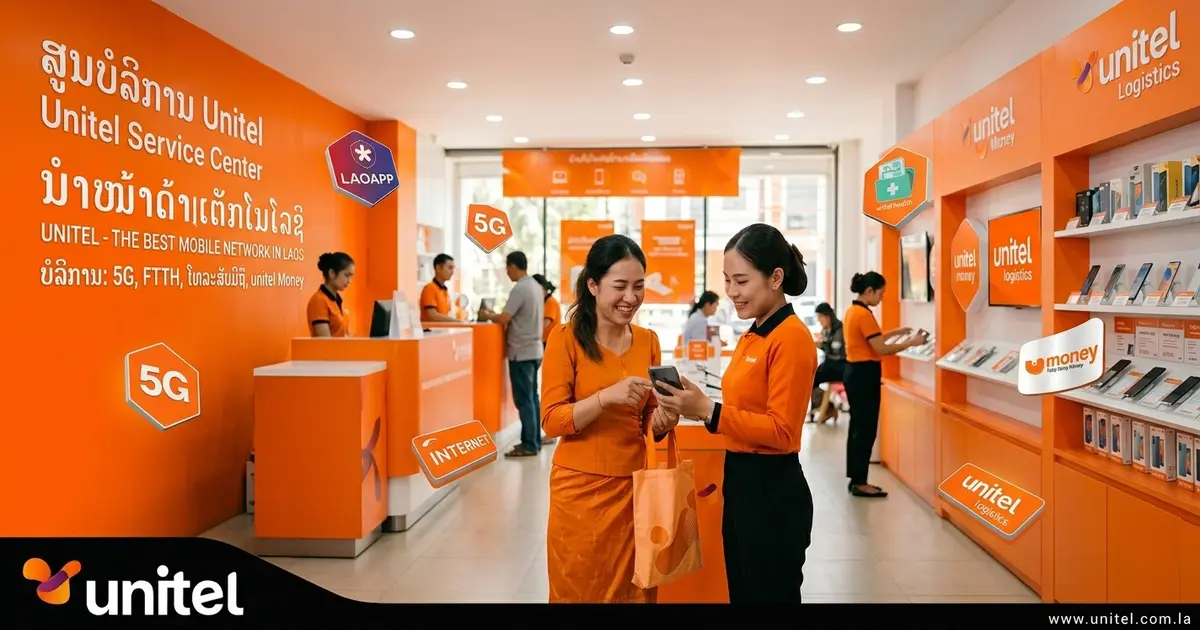
- In person (most robust for visitors). Visit a Unitel service center or authorized retailer with your passport. Staff register the SIM on the spot, usually within minutes. Unitel has service points at major airports (including Wattay in Vientiane), city centres and local phone shops. For a foreign passport holder, in-person registration is generally less fragile than app-only KYC.
- Online / app eKYC. Unitel exposes an “eKYC SIM” service and its SIM-registration page describes verification via online eKYC, ID card or passport, a photograph, or a Unitel shop. The LaoKYC app walks you through: enter your number → verify the OTP by SMS → photograph your document → submit → get an SMS when the operator completes KYC.
- Be aware of app friction: LaoKYC’s public Play profile sits around 2.7/5 from ~5.6K reviews, with visible complaints about foreign users being unable to select a nationality and OTPs not arriving. Unitel’s own app ecosystem also carries mixed reviews. That’s user-reported, not proof of a systemic defect, but it’s why in-person is often the safer bet.
- Or skip it. Our Laos eSIM is issued on a line already registered by our supplier — no passport, no eKYC, no counter on your side.
Two honest caveats from the field:
- “Registration syntax is incorrect.” This is a USSD formatting problem, not a rejection of your documents — the typed command didn’t match what Unitel expected. Stop retrying variations; use the LaoKYC app (guided prompts) or register in person.
- “No passport needed at the airport.” Recent Reddit reports describe airport Unitel SIMs bought “in seconds, no passport needed”. That does not mean Unitel officially allows anonymous registration — Laos’ framework and Unitel’s own eKYC page say otherwise. What it shows is that retail practice doesn’t always visibly match the formal KYC process. Don’t rely on it, and never mistake an anonymous line for a compliant one.
Buying a Unitel SIM at the airport — use the official shop (especially in Luang Prabang)
Buy your Unitel SIM from the official Unitel counter or shop, not an unofficial vendor — this matters most at Luang Prabang airport. Travellers repeatedly report two problems with airport SIMs bought from informal sellers:
- Scams / overcharging — paying well above the going rate, or being sold a package that isn’t what was described.
- Not getting the full data quota — the SIM activates with less data than advertised, and it’s hard to prove after the fact.
There’s also a registration angle: a SIM sold “off-book” may not be properly registered to you, which is exactly the kind of line that can be suspended later.
What to do: at Wattay (Vientiane) and Luang Prabang, buy at the official Unitel shop/counter; ask for the package by name, confirm the quota and validity, and keep the receipt. If you’d rather skip the counter and the risk entirely, a pre-registered Unitel eSIM is delivered by email before you fly — no vendor, no quota surprises, no queue.
How do I top up a Unitel SIM?
Buy a Unitel voucher, dial it in, then confirm with *122#. Two voucher formats appear in current sources:
*121*VOUCHERCODE#— the established form repeated across independent guides.*123*VOUCHERCODE#— reported by local/eSIM sellers as the practical form after buying a scratch voucher.
Because both are current-looking and the mapping flipped between generations, try *121* first, then *123*, then confirm the new balance with *122#. Vouchers are sold at Unitel-branded shops, convenience stores and kiosks.
Prefer digital? Unitel’s site supports payment by basic Kip account, u-money and bank transfer, and the Unitel Group app supports prepaid recharges. Travellers also report topping up through the BCEL banking app — user feedback, not a Unitel guarantee.
How do I buy a Unitel data package?
Dial *209# to open the package menu, then *209*PACKAGECODE# to activate one — and note that current Unitel package data also documents *123*PACKAGECODE#. This is the area where static USSD tables age fastest, so here’s the full picture:
- Current 2026 route:
*123*PACKAGECODE#(e.g.*123*10K3#= 4GB / 3 days / 10,000 LAK), from a database rechecked against Unitel’s data in September 2026. - Still-live legacy family:
*209#and*209*PACKAGECODE#, confirmed by photographed physical Unitel shop signage in a September 2025 field report — e.g.*209*22#= 3GB / 7 days / 10,000 LAK;*209*128#= 8GB / 30 days / 25,000 LAK;*209*107#= 15GB / 15 days / 40,000 LAK;*209*123#= 15GB / 30 days / 50,000 LAK; up to*209*135#= 55GB / 30 days / 120,000 LAK.
What to trust: use the *209# menu or the official app for the live offer, and don’t copy a 2023/2024 USSD table as current. For the full price list we maintain, see our Unitel Laos data package prices 2026.
Unitel customer service and apps
Dial 109 for support. Unitel’s official site lists 109 and 021 999 666, with email customercare@unitel.com.la. One Unitel help page reports 1555 as a 24/7 hotline (treat as a secondary path). Chinese-language service is reported as 109 → 5, and the USSD language can reportedly be switched with *856*4# — both medium confidence, third-party only.
Apps: the old MyUnitel has effectively become the broader Unitel Group app (data purchases, service management, chatbot); the official listing shows ~3.8/5 from 53K+ reviews and 1M+ downloads, with recurring complaints about intrusive ads and tasks that now depend on companion apps. LaoApp is related, and LaoKYC handles identity. For tourists, USSD is usually more reliable than the app because it works without registration, login or a data connection.
Does Unitel coverage and speed hold up?
Coverage, generally yes outside the main cities; speed, mixed — so we won’t claim “always fast.” Reddit users frequently describe Unitel as having good coverage outside major cities; a 2023 traveller found it reliable and faster than their roaming connection (with occasional valley dead spots), and a 2025 southern-Laos field report found good coverage around Attapeu and Pakse with attenuation in between. On speed, a 2026 Reddit thread contains both a very negative report (laggy physical SIM) and a positive one (a Unitel-based eSIM around 100 Mbps in places). Treat these as user reports, not measurements.
Skip registration entirely: our pre-registered Unitel eSIM
If the point of this page is “how do I get a Unitel line without the KYC dance”, that’s exactly what we sell. A genuine local Unitel eSIM, already registered and pre-activated, delivered by email before you fly — from $6.90 — with automatic activation on landing and no passport or eKYC step on your side.
- See the Laos eSIM plans
- Not sure whether to go SIM or eSIM? Read what is the best SIM card in Laos and the 2026 Laos SIM & eSIM price guide
- Already bought one? The step-by-step eSIM activation guide and the top-up & balance guide cover setup and day-to-day use
- Heading onward? See the Laos + Thailand eSIM guide or the Vietnam + Laos route guide
Codes were cross-checked against a hierarchy of sources, and conflicts are preserved rather than smoothed over:
-
Unitel official: unitel.com.la, the SIM/eKYC page, the shop, and Unitel ICT services (eKYC built into LaoApp and u-Money since 2024, using AI-OCR + facial recognition).
-
Lao government / official apps: Gov-X (
*1021#KYC check) and LaoKYC. -
Field evidence: a September 2025 field report with photographed Unitel shop package signage (note.com).
-
Specialist guides: Phone Travel Wiz and our own prior USSD page.
-
User reports: Reddit threads on Unitel KYC, coverage and eSIM use (contacted October 2026), and Google Play reviews for LaoKYC and the Unitel Group app.
-
A first-party Unitel USSD/KYC reference page. Unitel publishes no clean official USSD catalogue, so
*1021#and the package codes are best treated as current-looking field intelligence to test on a live SIM. -
Which voucher/package family is canonical right now (
*121*vs*123*,*209*vs*123*for activation) — both are evidenced; that’s why we publish both. -
Whether retail/airport practice always matches formal KYC — reports conflict with Unitel’s stated process; we describe the gap rather than pick a side.
Frequently asked questions
How do I check my Unitel number? +
Dial *110#. It displays the number of the Unitel SIM in the phone. Some older lists give *127# as an alternative; if *110# doesn't return your number, check the Unitel app or call 109 rather than guessing.
How do I check my Unitel balance? +
Dial *122# for your main credit balance. On some plans the same response also shows data information. For the data balance specifically, dial *123#.
How do I check my Unitel data balance? +
Dial *123# for remaining data. Note the historical confusion: older Unitel tables used *123# for recharge and *209# for the data menu, and some sources still list *126# or *101# for data. Test *123# first, then fall back to *122# or the Unitel app.
How do I check if my Unitel SIM is registered (KYC status)? +
Dial *1021#. Lao government material (the Gov-X app) and the LaoKYC documentation both state this code returns KYC/registration status. Treat it as a helpful status check, not as legal proof of ownership.
How do I register a Unitel SIM in Laos? +
Three routes: in person at a Unitel service center or authorized retailer with your passport; online via Unitel's eKYC / LaoKYC app (passport or ID + photograph + OTP); or by buying a pre-registered eSIM from us and skipping registration entirely. Laos requires SIM registration, so an unregistered line can be suspended.
What is the APN for a Unitel SIM or eSIM in Laos? +
unitel3g. On most modern phones data connects automatically without entering it; if yours doesn't, add an APN named unitel3g under the phone's mobile network settings.
How do I top up a Unitel SIM? +
Buy a Unitel voucher, then dial it in. Two formats are reported: *121*VOUCHERCODE# and *123*VOUCHERCODE#. Both appear in current sources across generations, so try *121* first and *123* if it fails, then confirm the new credit with *122#. You can also top up in the Unitel/Unitel Group app or via a supported bank app.
How do I buy a Unitel data package? +
Dial *209# to open the package menu and *209*PACKAGECODE# to activate one. Current 2026 Unitel package data also documents *123*PACKAGECODE#. Because codes and prices change, use the *209# menu or the official app for the live offer rather than a static third-party list.
What is Unitel customer service? +
Dial 109 from a Unitel line (or 021 999 666), email customercare@unitel.com.la, or use the Unitel app's chat. Chinese-language support is reported as 109 then 5 (medium confidence), and one Unitel help page lists 1555 as a 24/7 hotline.
Can I buy a Unitel SIM without a passport in Laos? +
You may read traveller reports of a quick airport purchase with little visible paperwork, but Laos requires subscriber registration and Unitel runs an eKYC system, so you should not rely on buying anonymously. Our eSIM avoids the question entirely: the line is registered in advance by our supplier, so there is no passport or eKYC step on your side.
Get connected for your trip
10GB
- 10GB high-speed data
- Automatic activation
Automatic. Data works the moment the eSIM connects to Unitel. Nothing to dial, nothing to switch on.
QR emailed within minutes · Stripe secure checkout · No account needed
15GB
- 15GB high-speed data
- Automatic activation
Automatic. Data works the moment the eSIM connects to Unitel. Nothing to dial, nothing to switch on.
QR emailed within minutes · Stripe secure checkout · No account needed
20GB
- 20GB high-speed data
- Automatic activation
Automatic. Data works the moment the eSIM connects to Unitel. Nothing to dial, nothing to switch on.
QR emailed within minutes · Stripe secure checkout · No account needed